Creating an Account
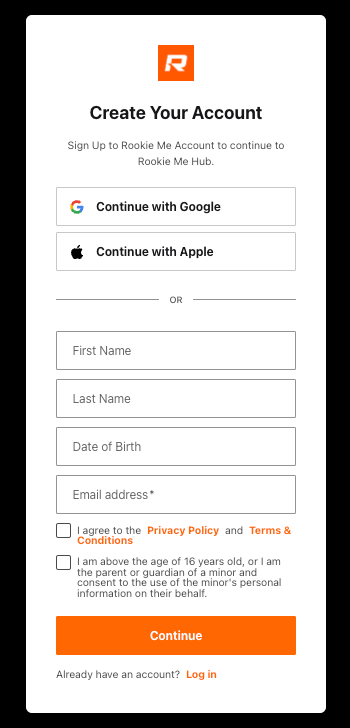
You can create an account using a standard email/password or your existing social accounts. The process is consistent across all platforms.
Option A: Standard (Email & Password)
- Open the App or Hub website and click Sign Up.
- Enter your Name, Date of Birth and Email.
- Check the boxes to agree to the Terms.
- Click Continue.
- Check your email inbox for a verification link to activate your account.
- Once you verify your account, you can set up Passkeys (FaceID, TouchID) for faster future access.
Option B: Social Login (Apple and Google)
- Select "Continue with Google" or "Continue with Apple".
- Log in with your chosen provider.
- You will be redirected to a second screen to complete your profile.
- Enter your Date of Birth and agree to the Terms to finish the setup.
Why Date of Birth? This is required to ensure age compliance.
Tip: If you already have an account for one app (e.g., Rookie Me Play), you do not need to create a new one for Connect or the Hub. Simply login in using your chosen method.
Helpful Links
Creating an Account on an Android Phone
Creating an Account on Play (iOS)
Creating an Account on Connect (iOS)
|
|

